

How to make a live dashboard with ChatGPT or Claude

Short answer: yes, ChatGPT and Claude can both build a dashboard. Paste your numbers or describe them, and ask for an HTML dashboard. The catch is keeping it current: a dashboard with the numbers baked in is a screenshot that goes stale. Have the page read its numbers from page data instead, and you can update it by saying “revenue is now 141,900” or from a script, without rebuilding anything.
On this page
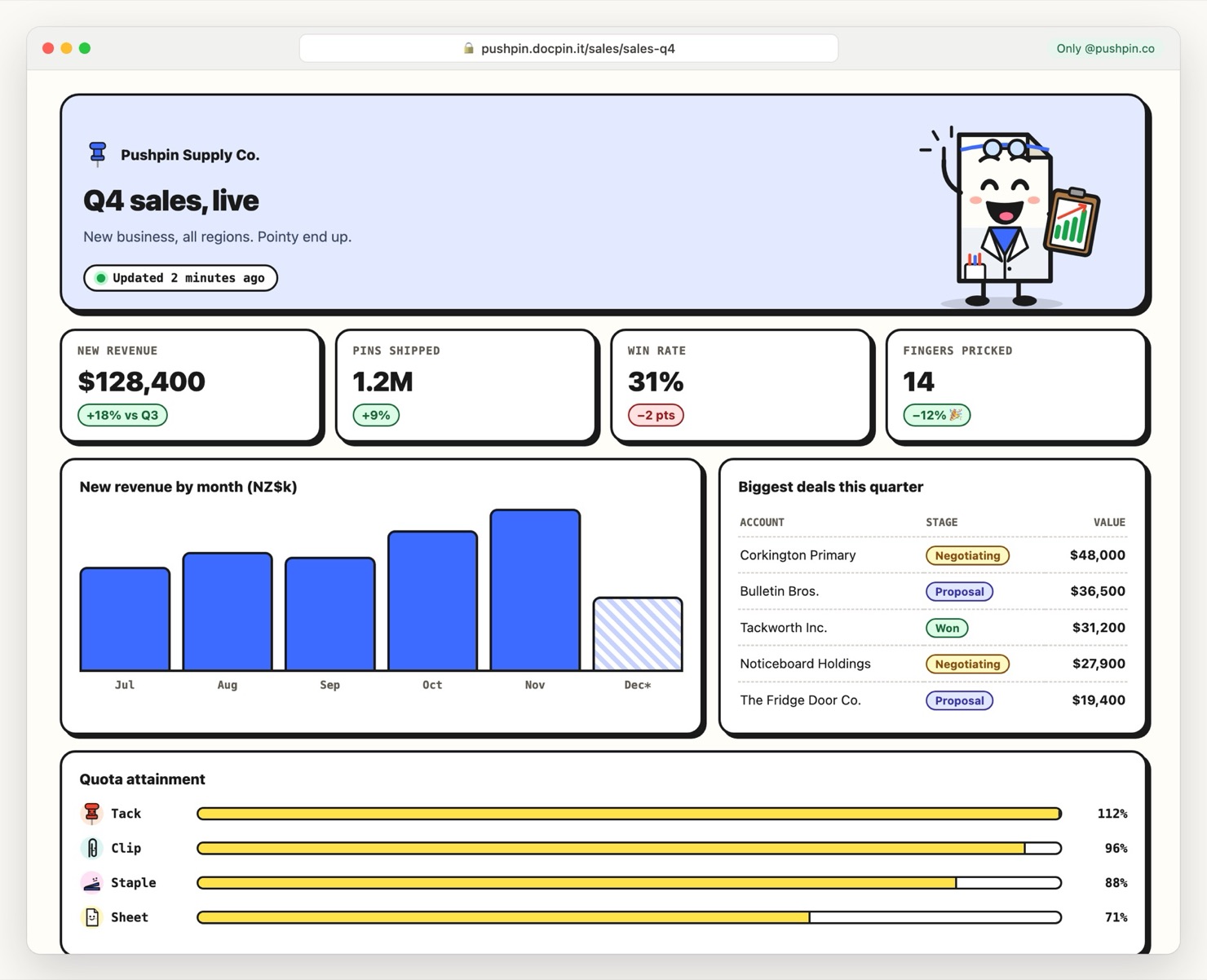
A sales dashboard built with Claude. The layout is HTML; the numbers come from page data, so they can change without a republish.
Can ChatGPT create a dashboard?
Yes, in a few ways:
For a dashboard you send people, like a client report or a weekly team update, an HTML page is the sweet spot: it looks custom, opens on any phone, and needs no logins to a BI tool.
How to make a live dashboard with AI
- Decide the 4–6 numbers that matterA dashboard with 20 charts gets ignored. Pick the KPIs the reader would ask about first, like revenue, deals won, win rate and pipeline.
- Ask for the page, reading from page dataThis is the step most people miss. Tell the AI to render from
docpin.data()instead of hard-coding values. The prompt below does it. - Publish it and set who can open itYour whole team's email domain, one client, or a password.
- Update the numbers, not the pageTell the AI the new figures, or send them from a script on a schedule. Open copies update within a minute.
Updating it: say the new numbers, or automate it
Because the numbers live in page data, updating is a sentence:
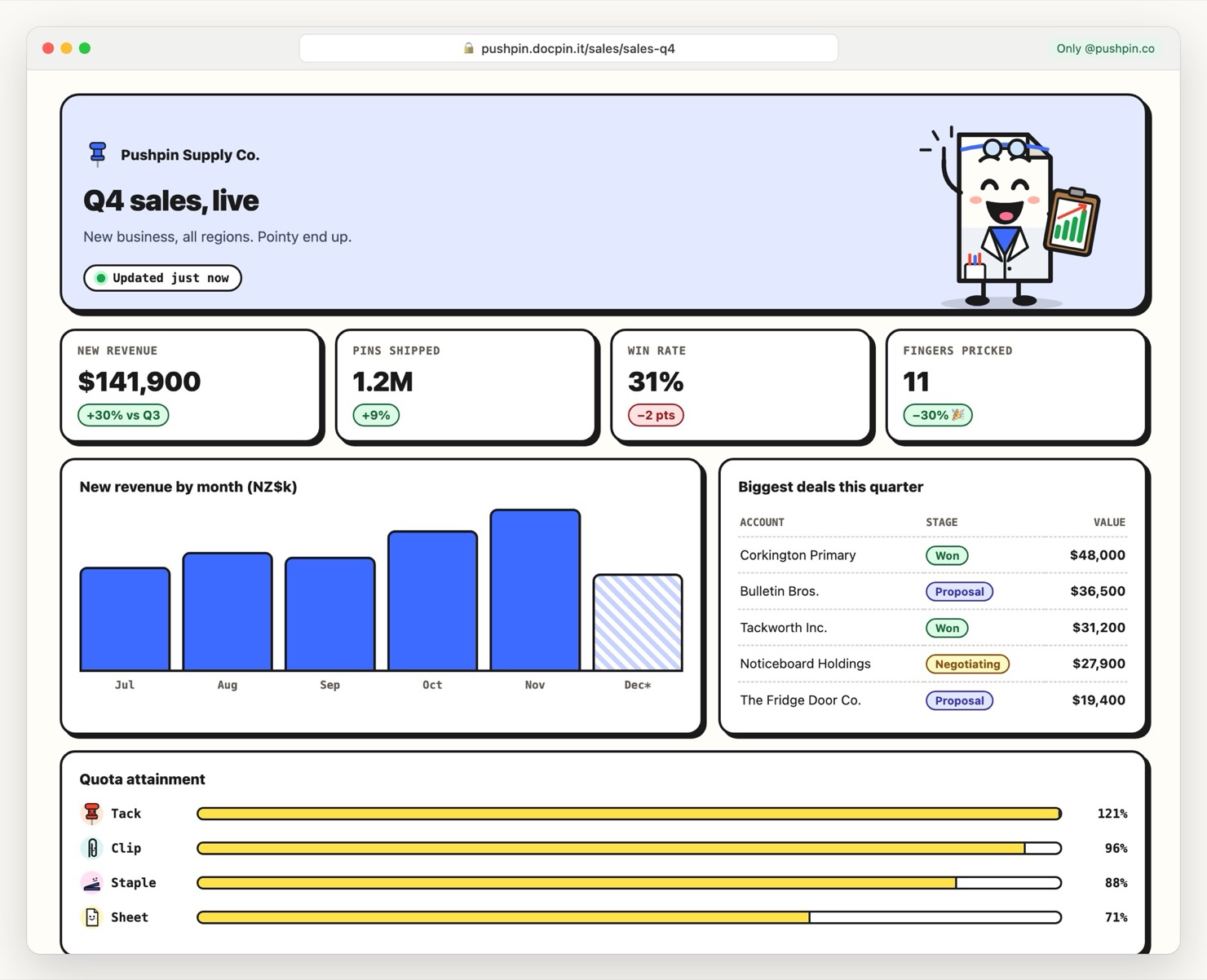
The same link after that message. Nobody had to reload or open a new link.
To automate it, send the numbers from a script, a scheduled job or your CRM's webhook with one API call:
curl -X PATCH https://api.docpin.app/v1/pages/$PAGE_ID/data \
  -H "Authorization: Bearer $DOCPIN_API_KEY" \
  -H "Content-Type: application/json" \
  -d '{"updated": "Updated just now", "months": [["Jul", 62], ["Aug", 71], ["Sep", 68], ["Oct", 84], ["Nov", 97], ["Dec", 58, true]]}'
Only the keys you send are replaced (here, the chart and the timestamp); the rest of the dashboard stays as it was.
The full reference is in Page data and the live dashboard recipe.
Sharing a dashboard with a client
- Only their company: limit it to
@client.comon Pro. They confirm their email; no account or BI licence needed. - One link forever: the same address every month, so it can live in their bookmarks or your monthly email.
- See if they looked: view counts on every plan, and names of signed-in viewers on Pro.
- Your brand: your own domain on Pro, like reports.youragency.com.
Dashboard ideas that work well this way
- Client reporting dashboards for agencies: ad spend, leads, cost per lead, monthly.
- KPI dashboards for a founder's weekly update to the team or investors.
- Sales dashboards on the office TV:
onDatarefreshes them with no reload. - Project status dashboards for a client: milestones, budget used, what's next.
About the examples: Tackworth Inc., Pushpin Supply Co., Paperweight Studio and Staple Theory are made-up companies from the DocPin universe, starring Sheet, our mascot, and friends. Your page uses your own brand, not ours.
Questions people ask
Can ChatGPT create a dashboard?
Yes. Describe your numbers or upload a spreadsheet and ask for a dashboard as a single HTML page. ChatGPT writes the KPI cards, charts and tables, and you can publish the page to a link.
Can Claude make dashboards?
Yes. Claude can build an HTML dashboard as an artifact. Connected to DocPin, it can publish it and keep its numbers in page data so they can be updated later without rebuilding the page.
How do I keep an AI-made dashboard up to date?
Have the page read its numbers from DocPin page data instead of hard-coding them. Then update the data by telling your AI the new numbers, from the DocPin app, or with one API call from a script.
Do my clients need an account to view the dashboard?
No. Make it public, add a password, or on Pro limit it to their email or company domain. They confirm their email with Google or a sign-in link, without a DocPin account.
Is this a replacement for Power BI or Tableau?
Not for large datasets or live database queries. It's for dashboards you send people, like a weekly KPI update or a monthly client report, where a custom page that opens on any phone is better than a BI login.
Got a page to send?
Put it on your own link in a minute. Free for 3 pages, no credit card.
Start freeSources, checked 8 November 2026:
- Example page: Pushpin Supply Co. sales dashboard (made up, pricked fingers and all)
- DocPin docs: Page data, Recipe: a live dashboard